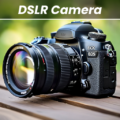
Taking control over mobile photography often requires switching between dedicated capture tools and separate graphic software. DSLR HD Camera bridges that gap by combining manual photo and video capture with an integrated editor built for selective background blur, visual overlays, and camera adjustments. Instead of relying solely on automated phone presets, it lets you configure settings directly before shooting and refine the results afterward within the same workspace.
Manual Shooting Controls and Video Capture
The camera interface works with both front and rear lenses, allowing you to record video or shoot stills across available hardware resolutions, including 1080p and 4K when your phone supports them. You can adjust white balance, exposure compensation, scene modes, and color effects prior to pressing the shutter. On compatible hardware, the app also exposes deeper manual parameters such as ISO, shutter speed, and manual focus. Zoom can be managed through on-screen sliders or multi-touch pinch gestures, while a silent-shutter toggle is available where device settings and regional regulations permit.
Burst Modes and Hands-Free Timers
To handle fast action or group shots where timing is critical, the app incorporates automated capture sequences. A burst mode allows you to fire off rapid sequences with configurable delay intervals, which helps secure a usable frame when photographing active subjects. For situations requiring hands-free operation, you can configure a standard countdown timer, an audio countdown prompt, or an automatic repeat mode to trigger the shutter without touching the screen.
Integrated Blur and Detail Editing
Beyond capture, the built-in editor allows you to alter saved images without opening another program. Its primary focus is depth manipulation, offering customizable blur effects where you can set the direction, adjust the intensity, and change the brush size to work closely around the contours of a subject. The editing suite also includes visual templates as starting layouts, along with tools to apply textures, decorative patterns, color filters, and stickers.
Hardware Dependency and In-App Structure
Because DSLR HD Camera relies on the underlying phone hardware to power its capture functions, available recording formats and manual camera controls are limited by what your specific device sensor supports. The final quality of the image remains tied to the phone’s native camera processing. The app includes advertisements alongside in-app purchases, with specific purchase tiers detailing which features are unlocked.


 Beauty Camera - Selfie Sticker
 Fresha for customers
 Beauty Camera - Sweet Camera
 PulseMeet
 Beauty Camera - Selfie Camera